 Nick Lookabaugh
On this page
If you run a contracting or home service business, whether you remodel kitchens, paint houses, put on roofs or care for lawns, you are probably sitting on years of before and after photos and not using them. They live in your phone's camera roll, on your Facebook page, on your Google Business Profile and in a shared folder or two: hundreds of job pictures, with a before shot scattered in here and there.
I'm Nick Lookabaugh, founder and CEO of 945 Studios. At 945 Studios, we take that whole library off your hands, find the before and after pictures that actually match, and turn them into short before and after videos for your website and social media. You send the photos. We do the rest. Here's how I put it in a recent update video:
"We're now able to take an entire portfolio of images, entire collection of 200, 300, 400, 500 plus images. We're able to analyze them, find the before and afters and then we're able to take those before and afters and convert them into videos like that."
The goal, as I said in my recent update video, is "to showcase a 10 second transition of what it's like to work with them." Here's what we do with your photos, why it works, where the finished videos go, and the one small habit that makes every future batch better.
Key takeaways
- You send the photos. Send us 200 to 500+ job photos, and we do all the sorting.
- Only true pairs. We only use a before and an after of the same spot, shot from close to the same angle.
- About 10 seconds. Each video shows the before for 2 seconds and the after for 2.5 seconds.
- One file, everywhere. One vertical 9:16 video works on your website and on social media.
Why Before and After Photos Beat a Gallery of Finished Jobs
A gallery of finished jobs says you do nice work. A before and after transformation shows it. The viewer sees one spot as it was, then the same spot finished, and the change itself is the proof. Nobody has to take your word for anything.
It also answers the question a homeowner is really asking before they call: what will my place look like when you're done? Ten seconds of a rough before turning into a clean after answers that faster than a paragraph of copy can.
A before and after is also the one place a rough photo earns its spot. Everywhere else on your website and your feed, only finished results belong. Here, the rough before is the point: one rough before, one great after.
What We Do With Your Before and After Photos
- Take in everything you send. The whole library, not a hand-picked few. A few hundred photos is normal, and more photos means more chances at a clean pair.
- Sort it by service and by project. Kitchens with kitchens, decks with decks, each job in its own folder. We work from copies, so your originals stay exactly where they are.
- Find the matching pairs. For each project, we look for a before and an after of the same spot, shot from close to the same angle.
- Check every close call by eye. A mid-job before or a slightly different angle gets set side by side and judged before anything is rendered. A weak pair gets dropped, not used to fill a gap.
- Run a privacy pass. Every photo in a pair gets checked for a customer's private details before it is filed or rendered. More on that below.
- Render the clip. Each pair becomes one short video in your brand color, ending on your logo and a way to reach you.
What Makes a Before and After Pair Worth Showing
This is where most before and after content goes wrong, and it's the step we spend the most time on. Two photos of the same room are not automatically a pair. If the viewer can't tell it's the same spot, the video reads as two unrelated pictures, and good work ends up looking random. On one recent library of a few hundred photos, we found 24 pairs, and only 10 of them were strong.
Our test is simple: the main features should sit in roughly the same place in both frames. Walls, windows, the counter. "Same room" or "same building" is not enough.
| Check | Passes | Fails |
|---|---|---|
| The spot | The same spot in both photos | The same room or building, a different part of it |
| The angle | Close to the same angle, with walls, windows and counters in roughly the same place | A different viewpoint, even of the same space |
| The before | The space before the work started | A mid-job shot, which is a maybe at best and gets a closer look |
| The after | A finished result | An in-progress or prep shot |
| Privacy | Nothing private in the frame | Anything that would need a blur patch |
When a service has no clean pair, we say so and ask you for befores from upcoming jobs. Forcing a weak pair to fill a slot costs more than it adds.
Your Customers' Privacy Comes First
Photos taken inside a customer's home can catch things that are none of the internet's business: papers on a fridge, mail, calendars, faces, family pictures, license plates, house numbers. We check every photo in a pair for them before it goes anywhere.
A pair that would need a blur patch stays out of the video, because a blurred spot ruins the reveal. When one of your job photos is used somewhere else, like a page on your website, and something private is in the frame, we blur only that object, lightly and with soft edges, so it reads as a normal photo. Only the blurred copy gets used, at every size.
How We Pick the After Shot
The after carries the whole video. It's the frame people remember, and it's the last thing they see of your work before the end screen. So we're picky about it:
- A finished result only. No in-progress, prep or plastic-sheeting shots.
- Nothing blurred. A blurred spot hurts a reveal anywhere, and it hurts most on the after. If the only after has something that needs hiding, that pair doesn't get used.
- The strongest shots where eyes land. The same rule runs through any photo wall or gallery we build from your work: finished results only, with the best photos in the center tiles, where a viewer looks first.
The Before and After Video Styles We Make
There's more than one way to reveal an after. 945 Studios has seven approved reveal styles, and two of them are the defaults for client work:
- Light wipe. The photo sits on a background made from a close-up of that same job's after photo, so every video carries its own job's look, and one smooth wipe takes the before to the after.
- Full-screen film. The before and after fill the entire frame, edge to edge.
The other five, shuffle swap, polaroid flip, scratch-off, phone slider and plan to built, are approved too and get used when a pair or a post calls for a different feel.
Inside Each 10-Second Before and After Video
Every style is built on the same bones, in the same order:
- The before, on its own, for 2 seconds. Shorter versions didn't leave viewers enough time to see what was there.
- One smooth move to the after. It's already moving on the first frame, travels one direction and eases to a stop. No bounce, no pause, no back and forth.
- The after, on its own, for 2.5 seconds.
- Your end screen. The photo fades away and your logo appears, with a "Get a Free Quote" line and your web address typed into a button in your brand color.
Big Before and After labels stay pinned in one place the whole time, so only the word changes. The colors come from your brand, pulled from your own site or logo. Photo cards get lightly rounded corners. A light wipe runs 9.2 seconds from first frame to last.
Before and After Videos We've Made
A few of the before and after videos we've made from client job photos.
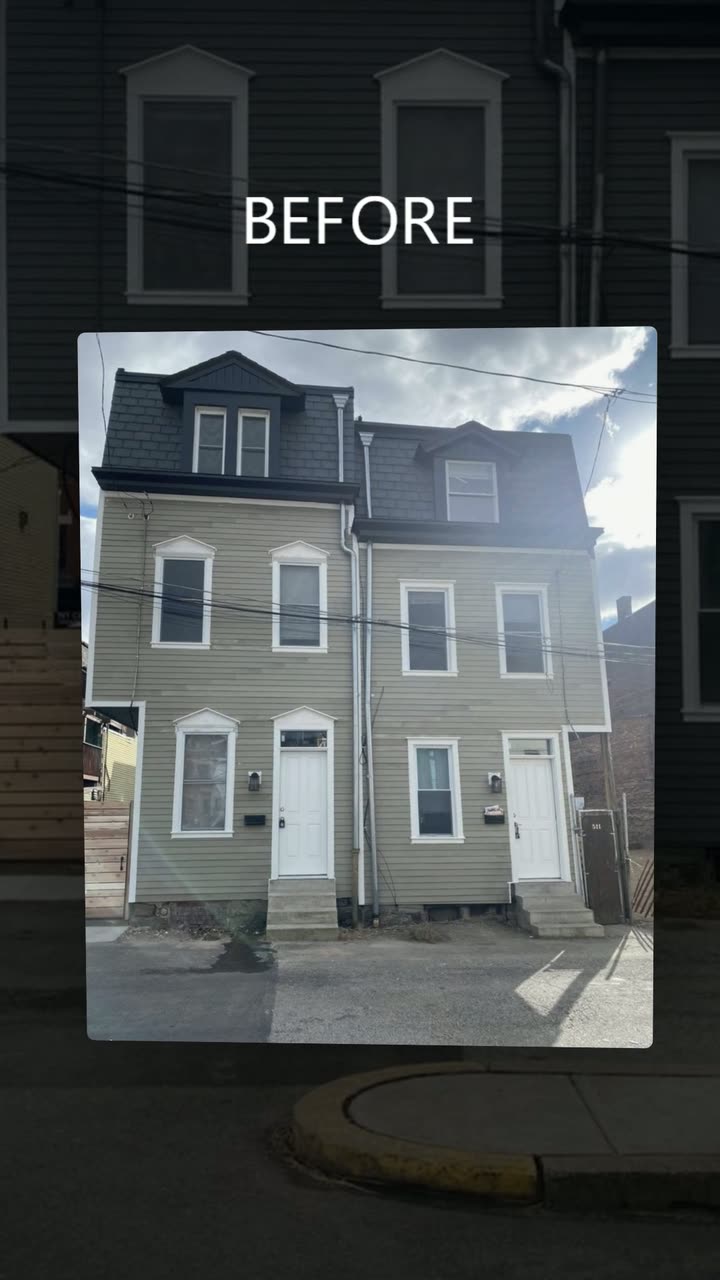
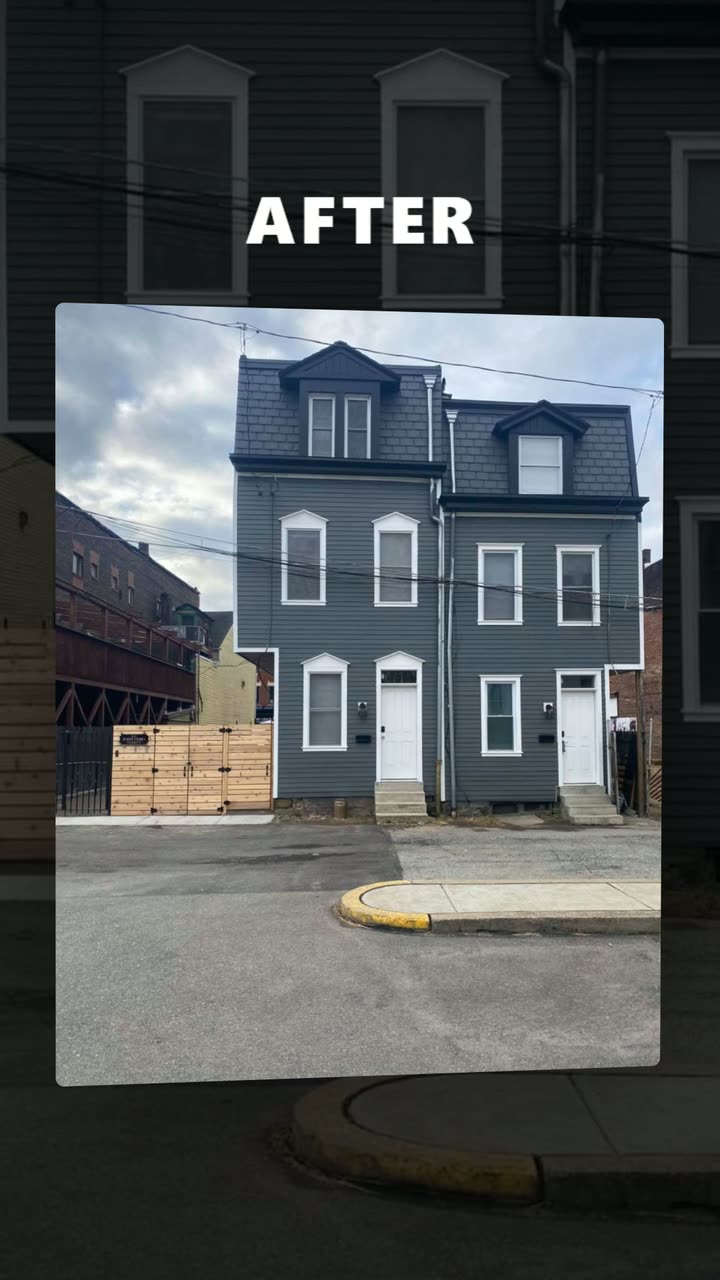
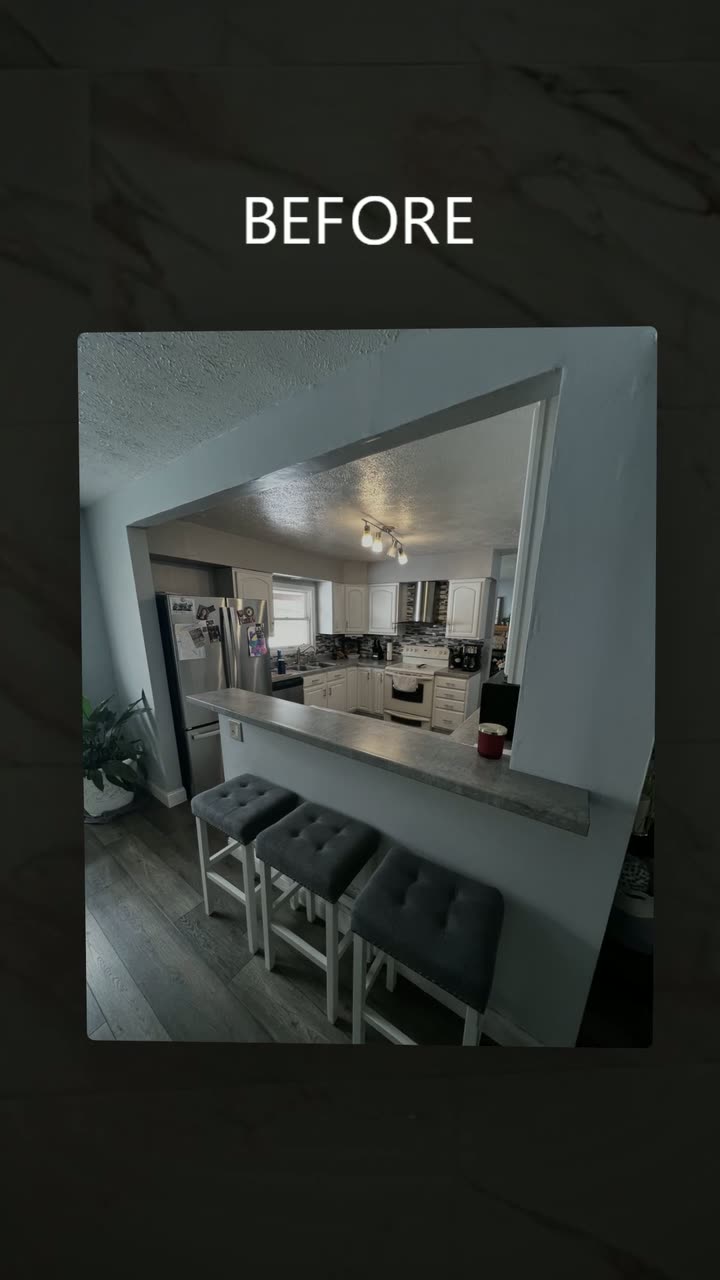
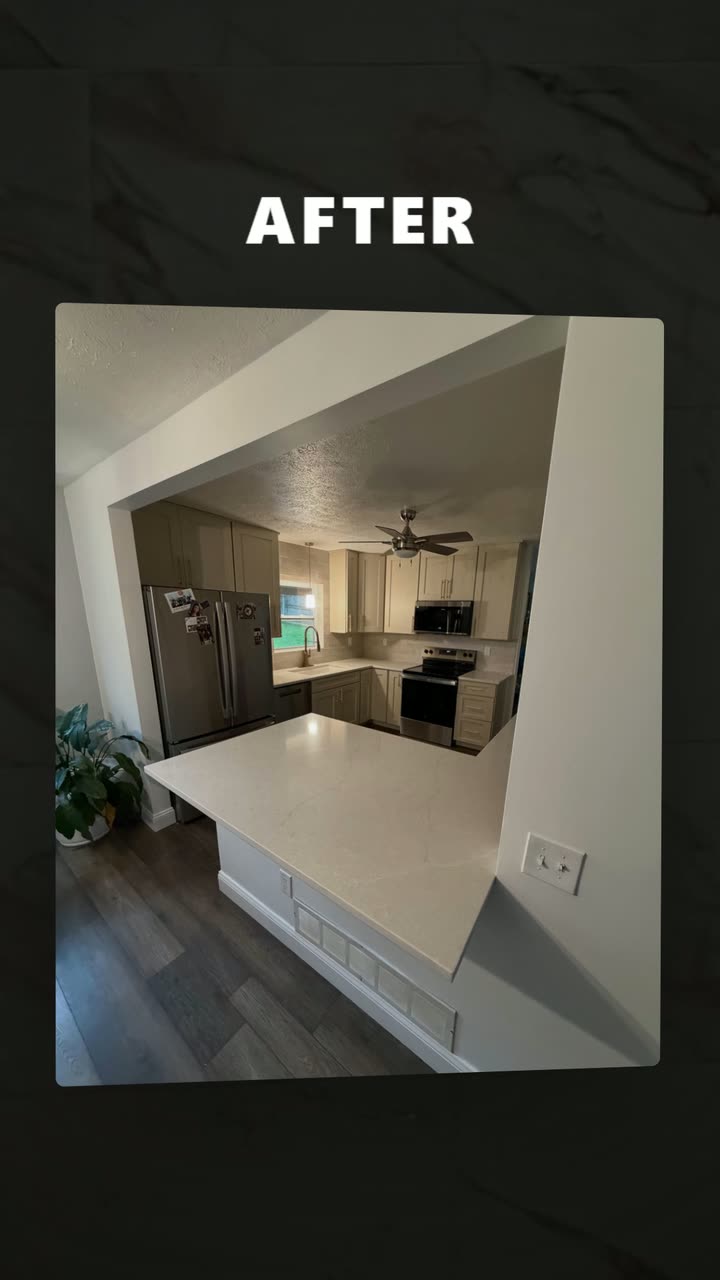
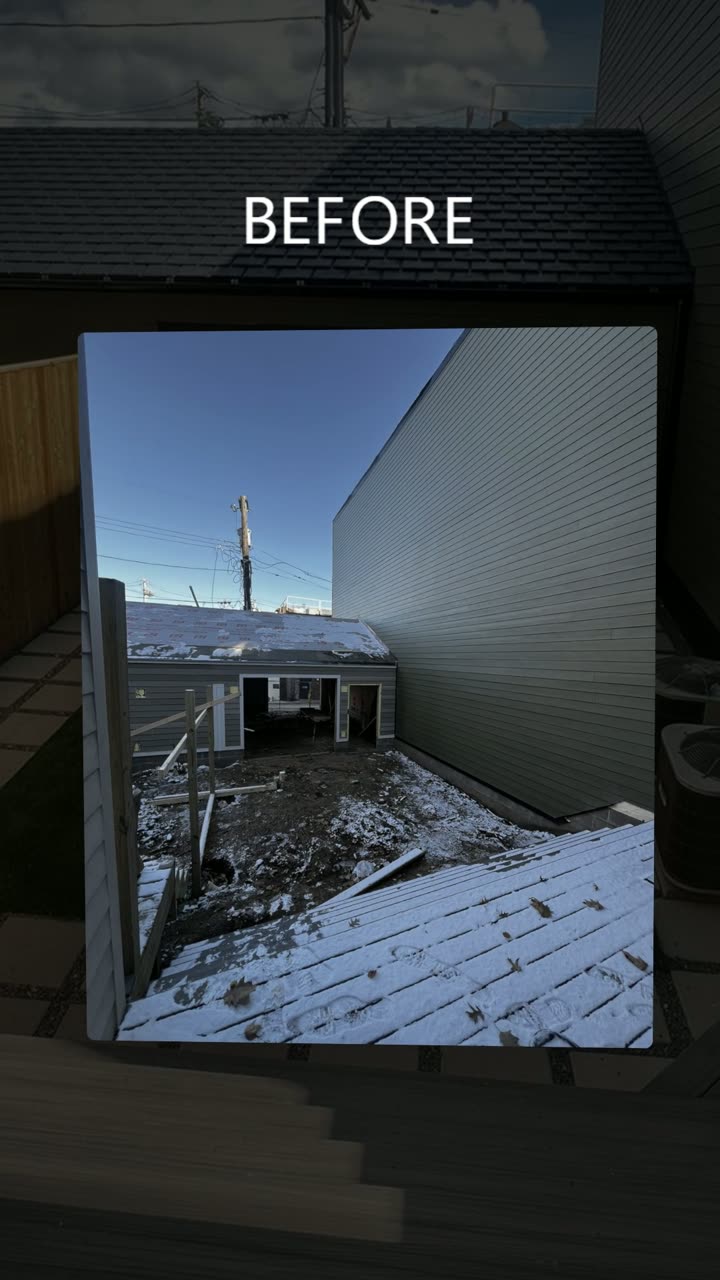
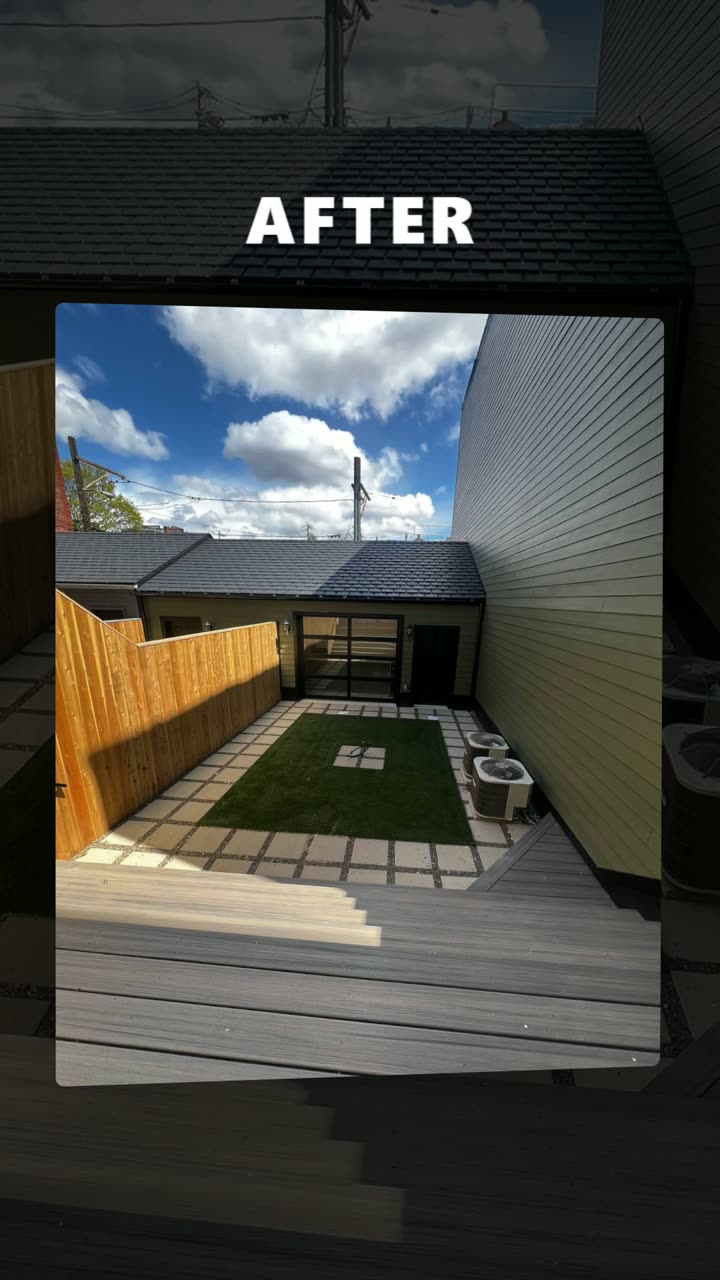
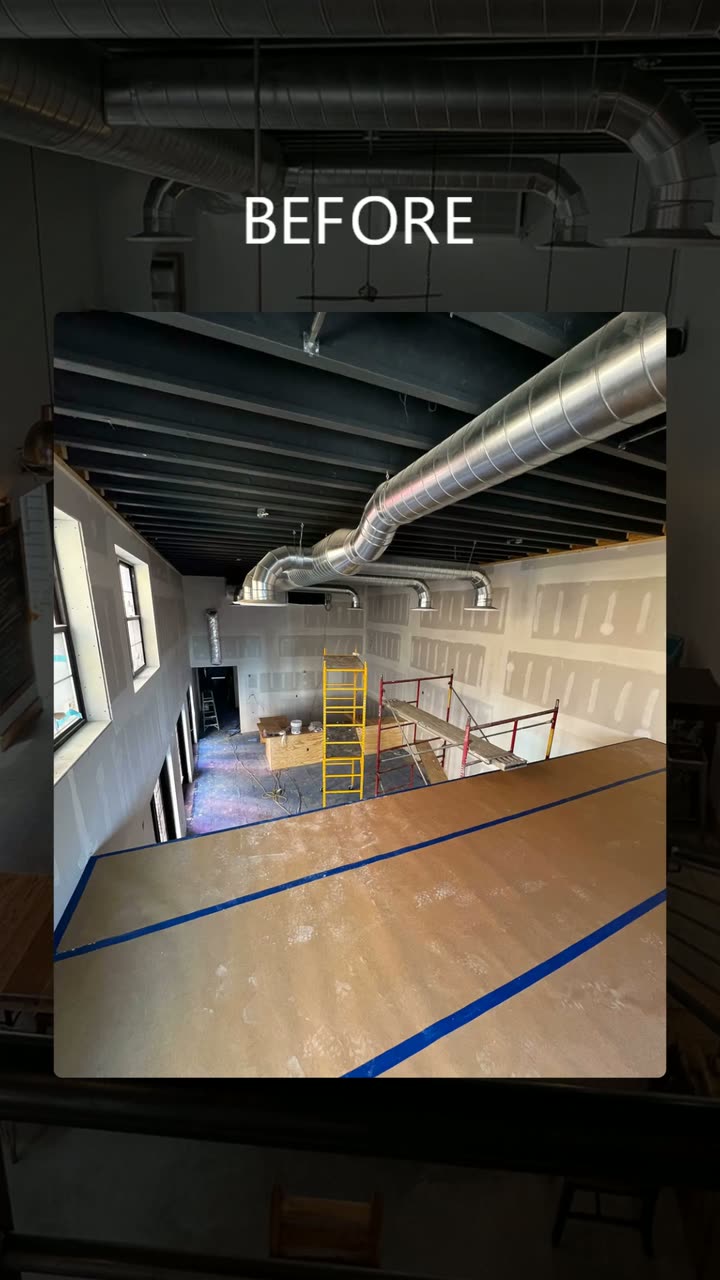
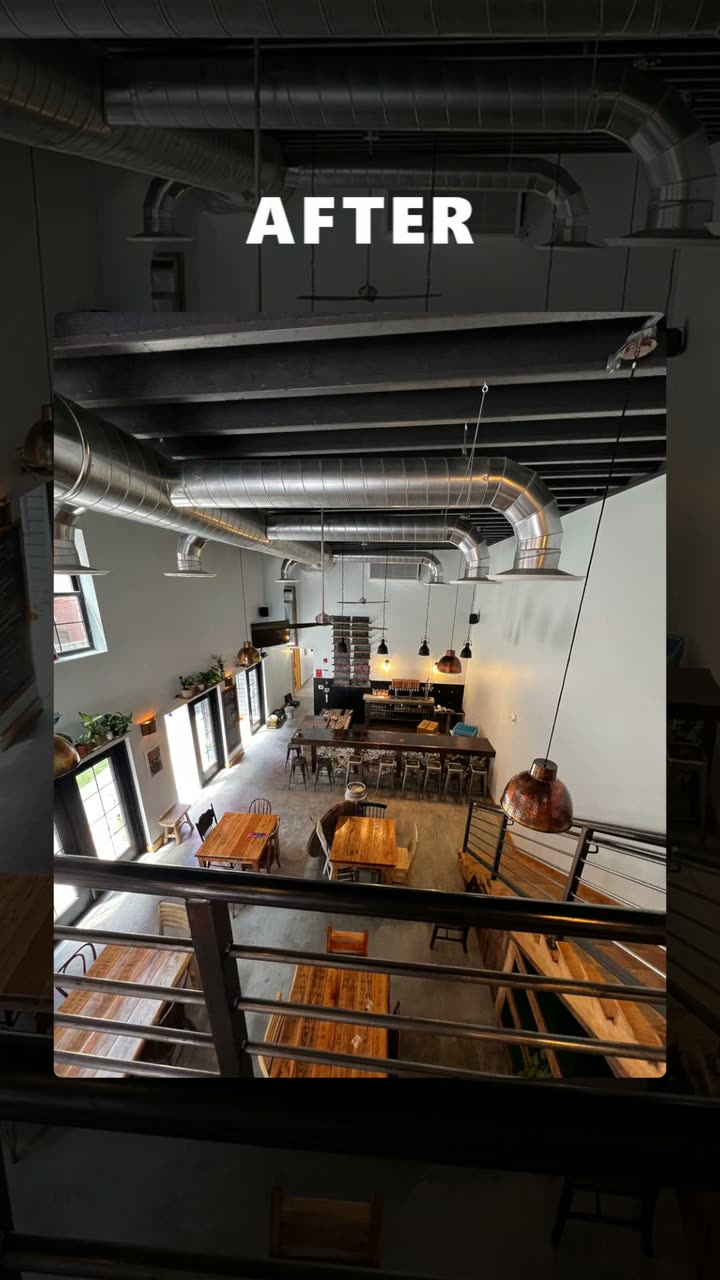
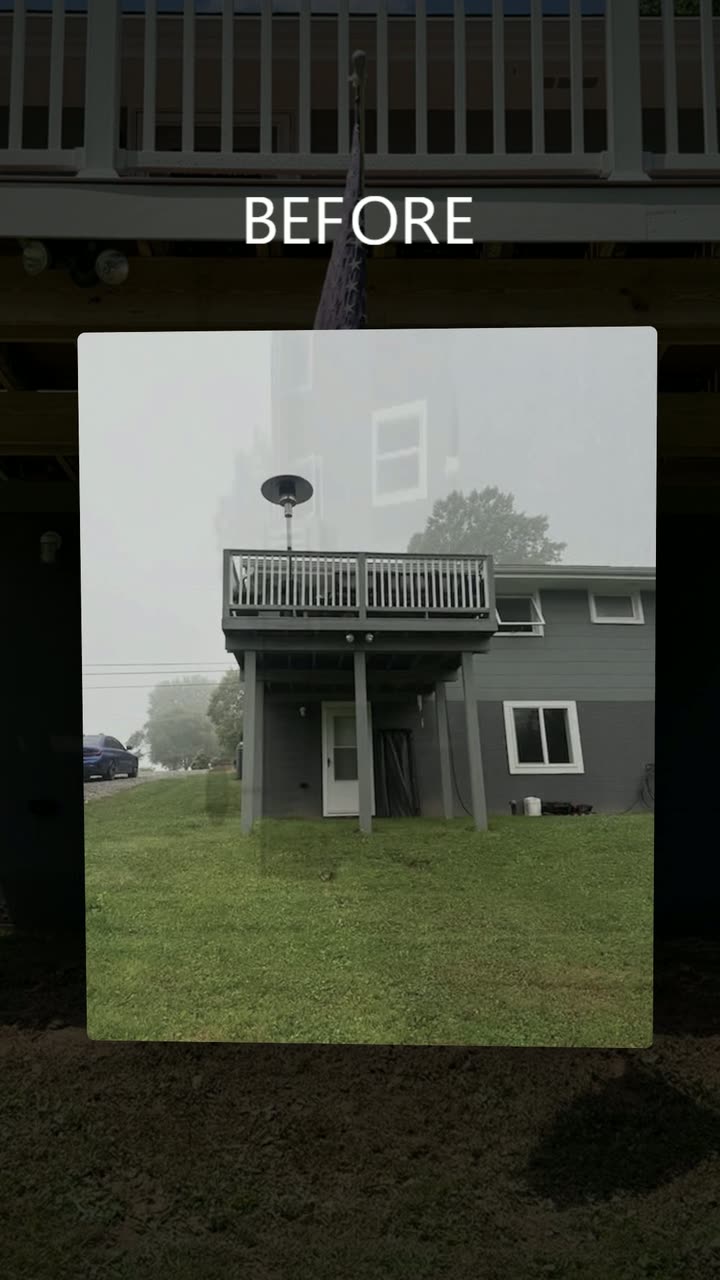
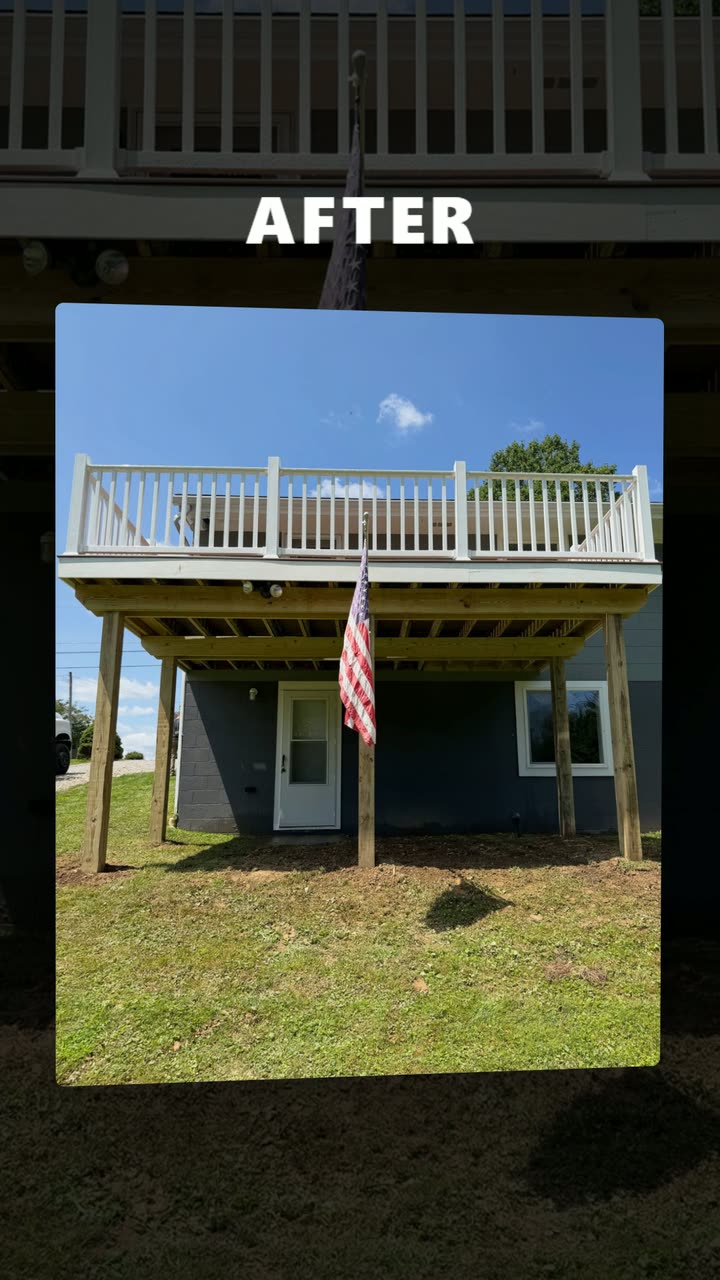
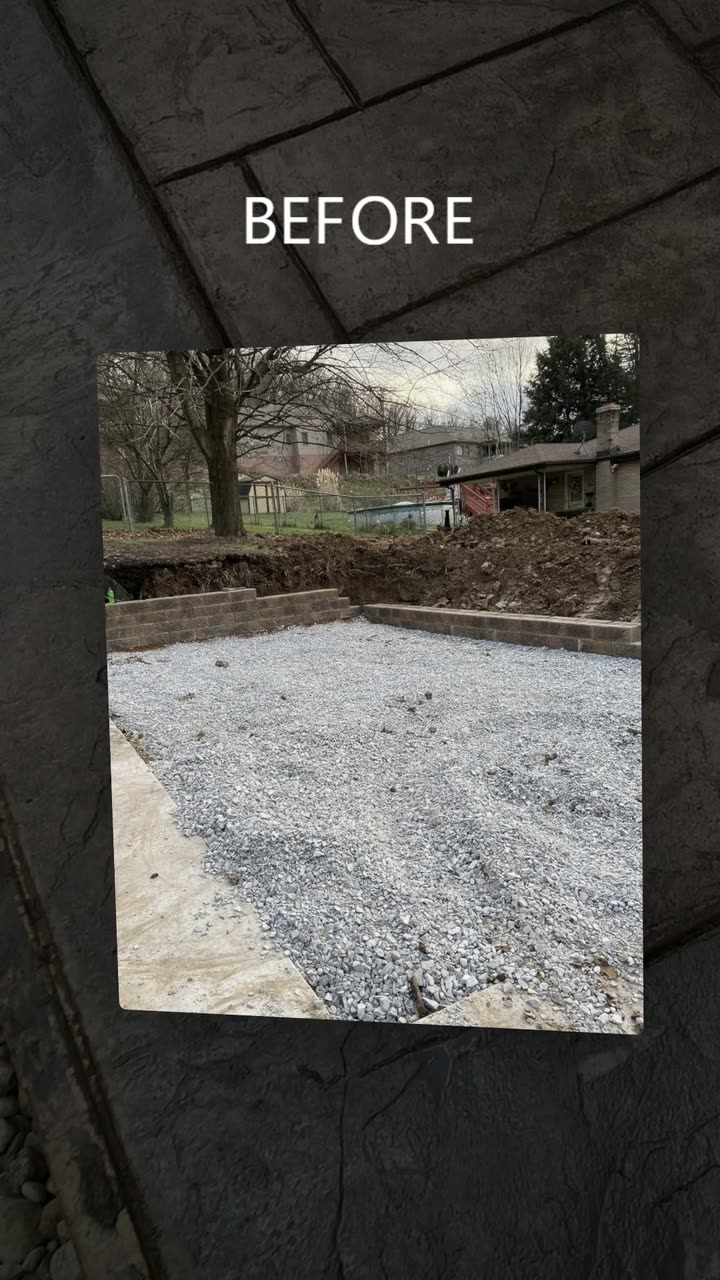
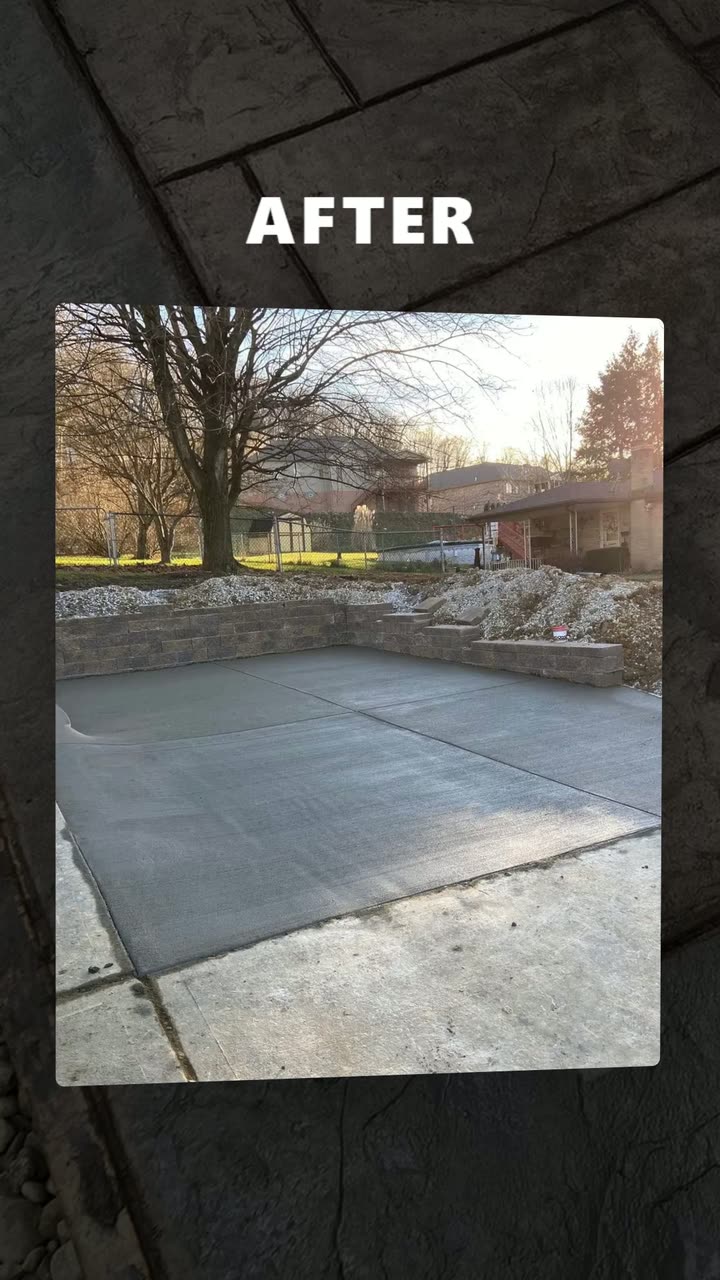
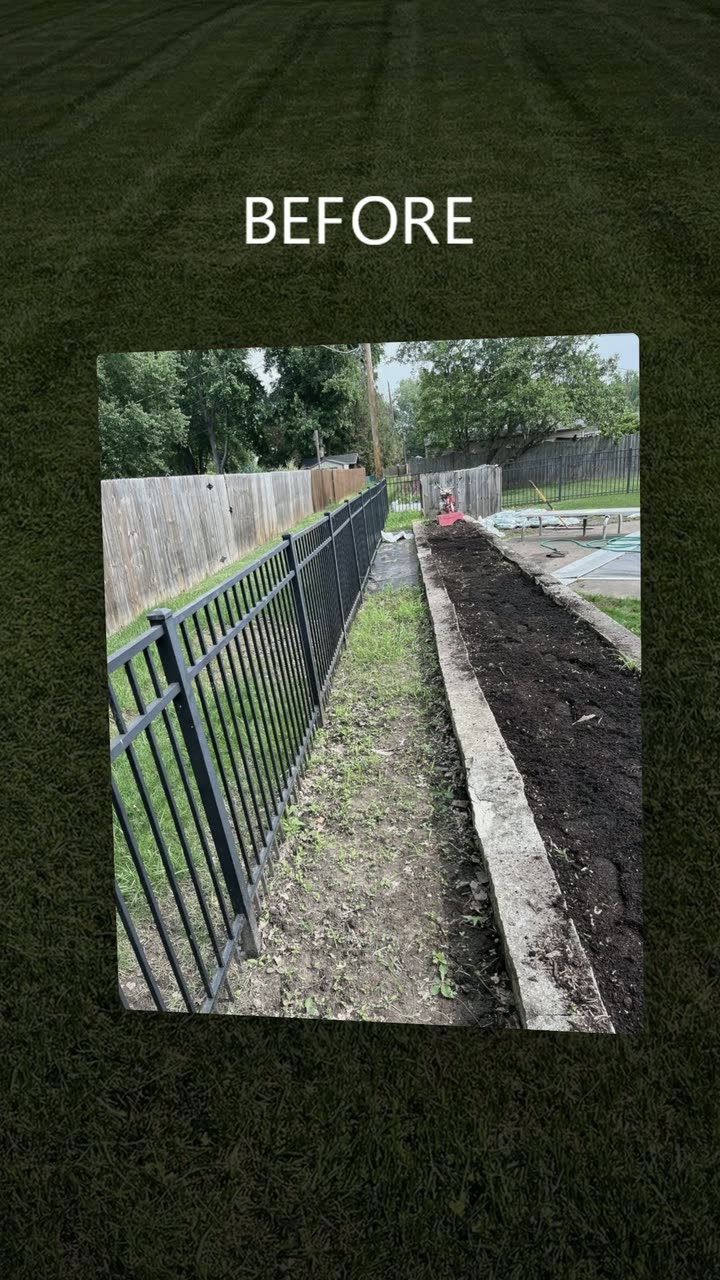
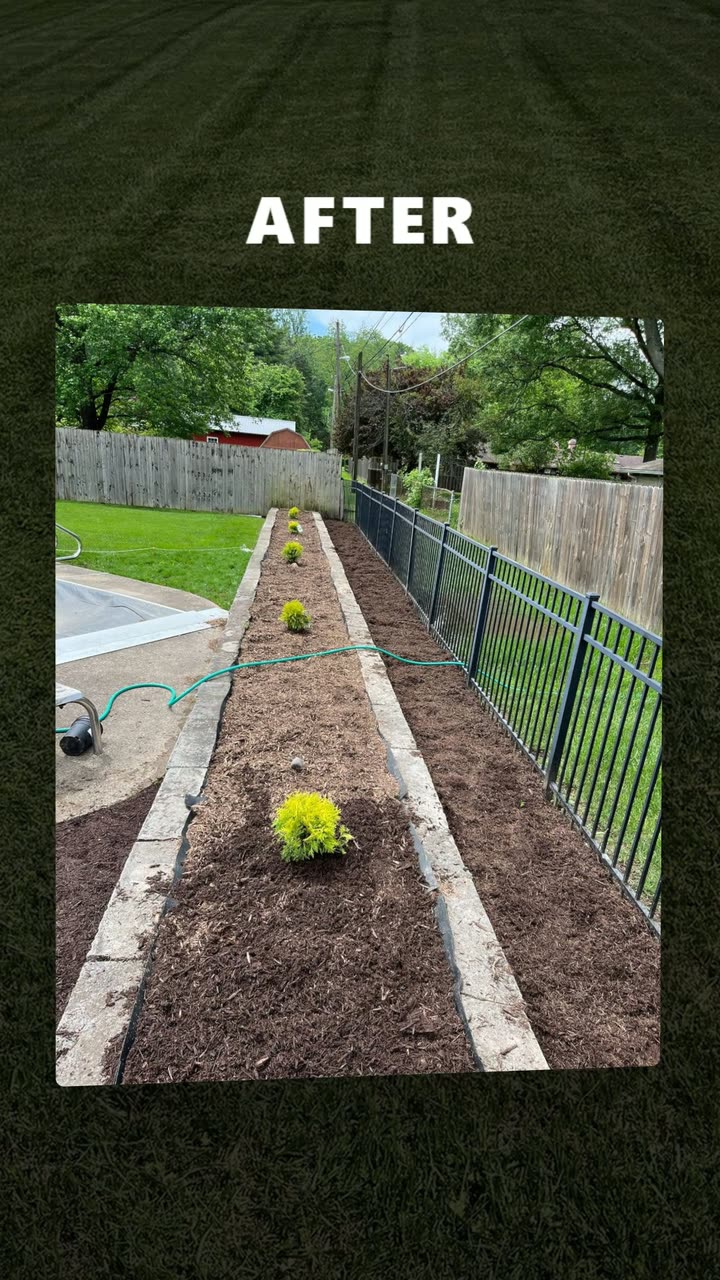
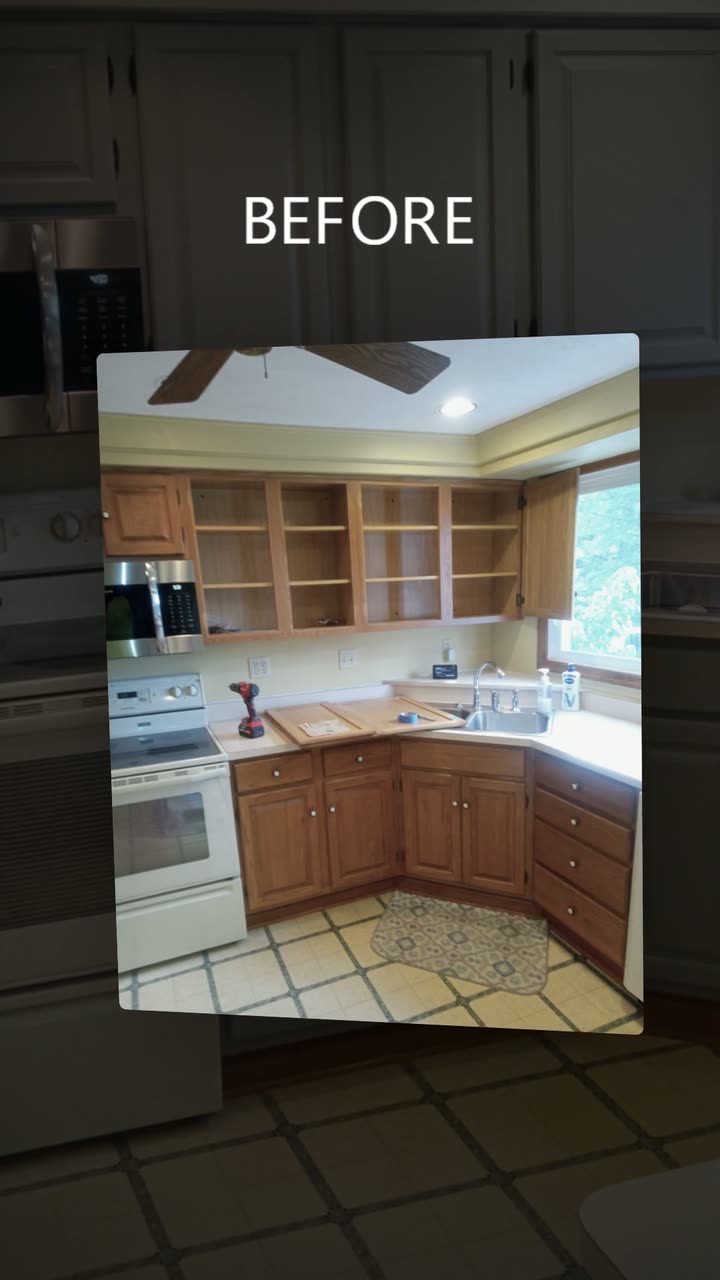
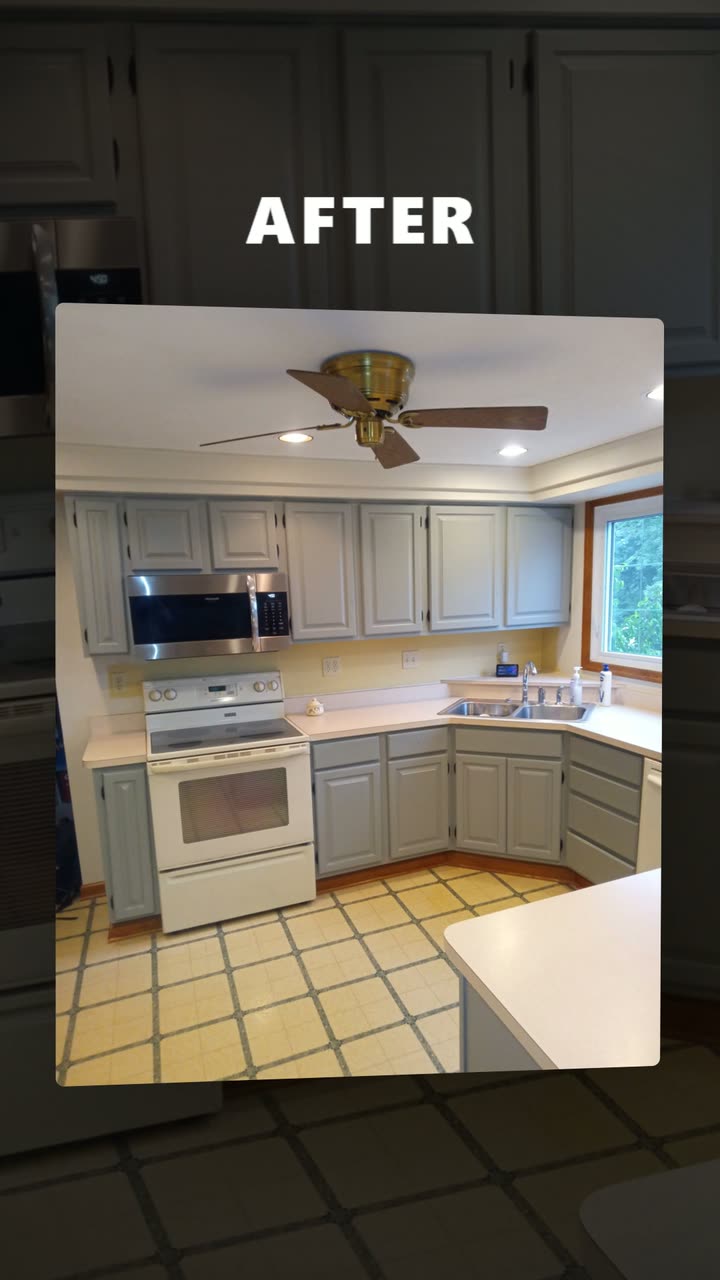
Have a camera roll full of job photos? Send them over, and I'll turn your best before and after pairs into videos.
Send Us Your Job PhotosBefore and After Videos for Your Website and Social Media
One clip, many places. As I put it in my recent update video, these are videos "that can be used on social media, that can be used on the website and used everywhere."
- Social media. Each clip is rendered once, in vertical 9:16, so the same file works as a reel and in the feed. The before and after is sized to fill the feed crop, and the layout stays clear of the caption area at the bottom of a reel, so nothing important gets cut off.
- Your website. A clip next to the service it shows puts the proof right where someone is deciding whether to call.
- Everywhere else. Anywhere you would hand someone proof of your work. Every clip ends on your web address and a "Get a Free Quote" line, so a viewer who likes what they saw knows where to go next.
What You Hand Over
Your photo library, as it is. You don't need to sort it, rename it or pick favorites. The usual places it lives:
- The camera roll on your phone, or your crew's phones
- The photos on your business Facebook page
- The photos on your Google Business Profile
- Any shared drive or folder where job pictures get dropped
That's the whole job on your end. 945 Studios handles the sorting, the matching, the checks and the rendering from there, and your originals are never changed.
One Habit for Your Next Before and After Photos
Going forward, one habit makes every future batch better. When you take a before, stand where you'll stand for the after. Same spot, same angle, with the same windows and walls in frame. Take the before before the work starts, and the after once the job is fully finished. That single habit is the difference between a before photo and a usable pair. Everything after the shutter clicks is on us.
Why 945 Studios Is Building This
945 Studios is the marketing agency I run outside Pittsburgh. We build websites, do SEO and run Facebook ads for businesses in the Pittsburgh area. Over the past few months a lot of that work has gone into tightening workflows, and we have built custom apps that now handle a lot of our client work. Before and after videos are one result of that.
As I said in my recent update video: "So those types of visuals are the things that we're really focusing on and looking to create." Every clip carries proof of your work out to wherever your customers are already scrolling, and points them back to your website.
Frequently Asked Questions
How Many Before and After Photos Should I Send?
All of them. The libraries we work through run from a couple hundred photos to 500 plus, and the bigger the library, the better the odds of finding clean pairs for each service.
What If Most of My Photos Are of Finished Work?
That's common. Finished photos still have plenty of uses on your site and your feed. For any service without a clean before, we'll tell you which ones and ask for befores from your next jobs.
Do My Before and After Pictures Need to Match Exactly?
Close is enough, but it has to be the same spot. The main features, like walls, windows and counters, should sit in roughly the same place in both photos. A different angle of the same room usually reads as two unrelated pictures, so that pair gets left out.
Will My Customers' Homes Show Anything Private?
Every photo gets checked for private details before it's used. If a pair can't be shown without hiding something, it doesn't go in a video.
How Long Is Each Before and After Video?
About ten seconds: the before on its own for 2 seconds, one smooth move, the after on its own for 2.5 seconds, then your end screen.
Can I Use the Same Before and After Video on My Website and Social Media?
Yes. Each video is rendered once, in vertical 9:16, so one file works as a reel, in the feed and on your website next to the service it shows.
Got a Camera Roll Full of Finished Jobs?
Send 945 Studios the photos. We'll find the before and after pairs worth showing and turn them into before and after videos for your social media and your website.
Conversion Clustering: Why High-Friction Goal Events Trigger Immediate Search Visibility Spikes
A completed high-friction form appears to trigger an immediate search visibility spike. We kept seeing a second, unrelated lead land within minutes of the first. The 10 to 20 minute chaining window, the 3 to 4 hour extended lift, and what to do about it.
Read it →